

Reviewed · UFFIZI GALLERY TOURS
Uffizi Gallery ticket & self-guided visit APP
The Uffizi can feel like a maze. This setup keeps it simple with a skip-the-line ticket and a self-guided audio app so you can move through the galleries on your terms. The big draw here is freedom: you’re not tied to a group pace, and you can linger in the rooms that grab you.
I especially like the practical structure of the experience: you get an app with commentary plus an interactive 3D map and on-screen icons. You’re also looking at the real power of the Uffizi collection—Giotto, Botticelli, Leonardo, Michelangelo, Caravaggio, and more—without needing to translate art history in your head while you stand in front of it.
One drawback to keep in mind: the whole day leans on your smartphone (and hearing). If the app or audio has problems, you’ll feel it fast—and one recent booking reported exactly that.
In This Review
- Key points to know before you go
- Entering the Uffizi with a skip-the-line ticket
- The app tour: audio guide, icons, and a 3D map that helps you stay oriented
- Where the day starts: meeting point tips that prevent stress
- Giotto first: Ognissanti Madonna and the value of slowing down
- Botticelli’s Venus rooms: Spring and Birth of Venus
- Leonardo’s storytelling: Annunciation and Adoration of the Magi
- Michelangelo and Caravaggio: Tondo Doni and Bacchus
- How long “1 day” really takes inside the Uffizi
- Price and value: what $58 gets you (and what it doesn’t)
- Your main checklist: smartphone, headphones, and identification
- Language support and what it means for your day
- When things go sideways: the real risk and how to reduce it
- Final verdict: should you book this Uffizi app ticket?
- FAQ
- Do I need a smartphone for the Uffizi app?
- Are headsets included?
- Where do I meet the assistant?
- What time does the ticket work for?
- What languages are available for the audio tour?
- Do I get a refund if plans change?
Key points to know before you go

- Skip-the-line entry is tied to a ticket delivered at the entrance for your booking holders
- Audio commentary + interactive 3D map helps you find your way and understand what you’re seeing
- You control the pace in a museum where crowds can otherwise bully your time
- Major Renaissance names are built into the route: Giotto, Botticelli, Leonardo, Michelangelo, Caravaggio
- Bring charged phone + working headphones, since headsets aren’t included
More ways into the Uffizi, ranked by Florence visitors
Entering the Uffizi with a skip-the-line ticket
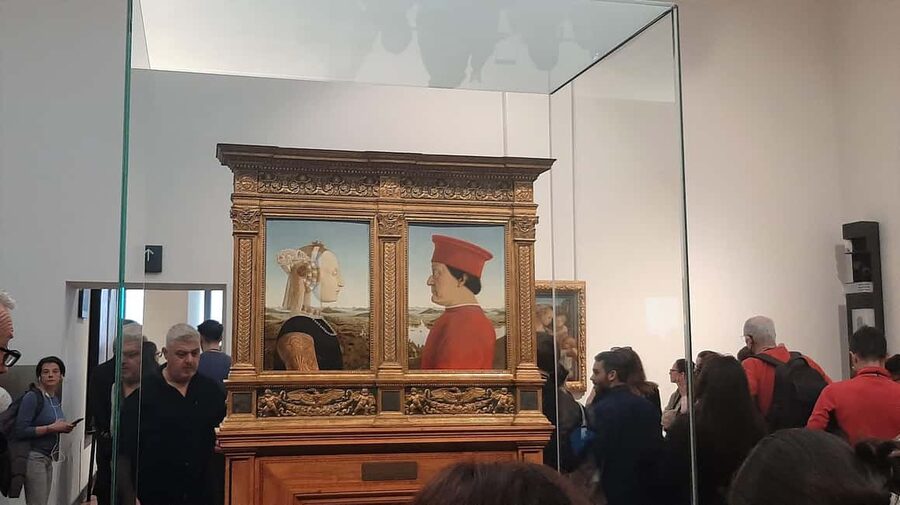
The most important logistics here is your entrance plan. The meeting point is close to door n. 1, and that door is for entrance reserved to booking holders. An assistant in blue clothing with CAF Tour and Gray Line logos is there to help you connect the dots on-site.
Here’s why this matters. The Uffizi can be crowded, and if you’re stuck queuing at the ticket office, you lose the best part of museum time: the calm where you can actually look. With this format, you’re aiming to avoid that ticket-office slow-down and get into the galleries sooner.
That said, I’ll be blunt: skip-the-line only works if the on-the-ground flow matches the promise. In one documented experience, the skip-the-line didn’t work as expected and the guest ended up waiting with everyone else. You should still plan as if it’s smooth—but also keep a little buffer in your day in case lines run long.
The app tour: audio guide, icons, and a 3D map that helps you stay oriented
This is a self-guided visit powered by an app. Before you go, you download it from the App Store. At the museum entrance, you’ll receive an app code plus your skip-the-line ticket.
Once inside, the experience is built around three tools:
- Audio commentary in multiple languages (Chinese, English, French, German, Italian, Spanish)
- A 3D map to help you navigate
- Icons tied to the artworks on your route
For a museum like the Uffizi, orientation is half the battle. Rooms connect in ways that can make you feel like you’re wandering. A 3D map doesn’t just save time—it helps you avoid the classic mistake of missing major pieces because you turned the wrong way “for a second.”
Also, this app approach is flexible. If you want to speed through one wing and slow down for another, you can. The tour isn’t framed as a strict timeline that forces you onward.
Where the day starts: meeting point tips that prevent stress
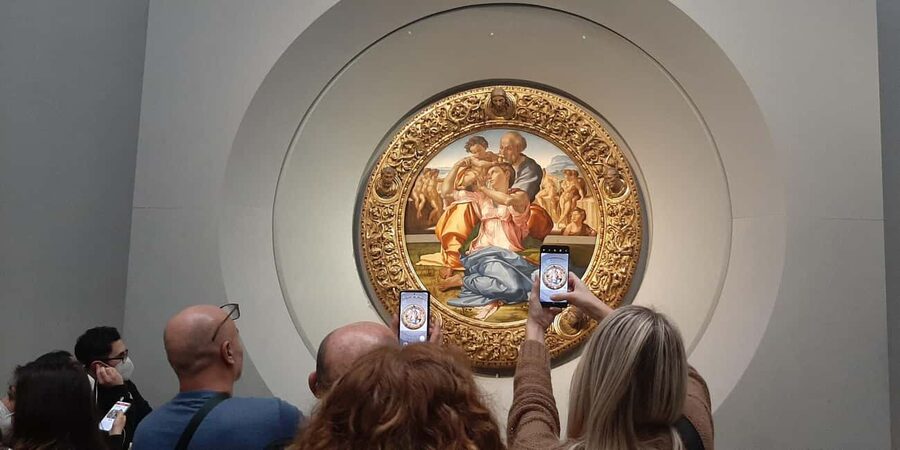
The assistant is located near door n. 1. I’d treat the meeting point as your “checkpoint,” not just a nice-to-have detail. The assistant is meant to get you from the street into the museum flow with the right booking support.
Practical things that make a difference:
- Keep your phone charged. A dead battery at the Uffizi is the fastest way to turn a smart plan into a scramble.
- Have your app downloaded before you arrive, so you’re not stuck installing while crowds press around you.
- Plan to use your own headphones. Headsets aren’t included.
One more small but crucial point: you’ll need your original identity document for mandatory check. Also, your booking confirmation requires a lot of participant details (name, date of birth, passport/ID number, a mobile number that can receive messages while you’re in Italy, and an email you can access there). If any detail is missing, the booking can’t be confirmed.
Giotto first: Ognissanti Madonna and the value of slowing down
Your app route includes major anchor works, and one of the first big emotional hits is Ognissanti Madonna by Giotto. This is the kind of painting that can get lost if you rush. With a self-guided audio tour, you can stop for long enough to actually see it: the faces, the expressions, the way the composition holds your attention.
Why I think this works for you: the Uffizi is famous, but “famous” can turn into “checked off.” With the app’s commentary and map, you’re less likely to sprint to the next headline artwork without understanding what you’re looking at.
A self-guided approach is at its best when you use it like this: pick your pace intentionally. Spend extra time on pieces that make you pause. Then move quickly through rooms that don’t pull you in that moment.
Botticelli’s Venus rooms: Spring and Birth of Venus
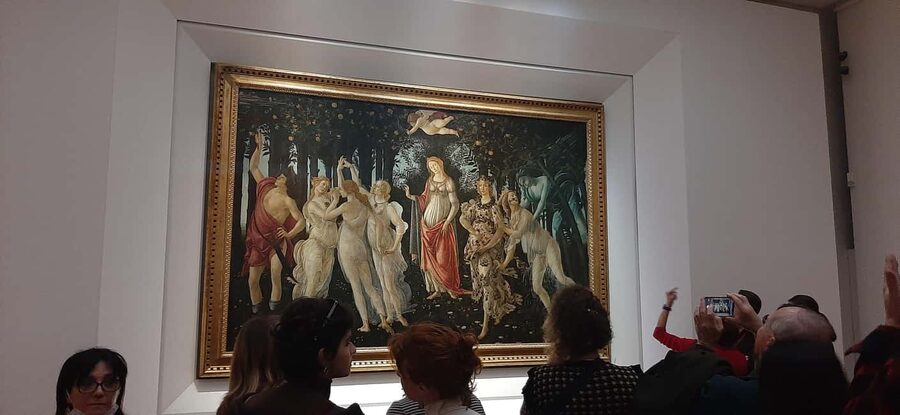
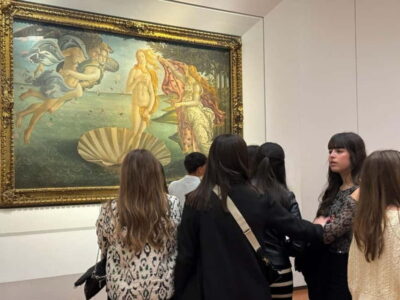
No Uffizi route feels complete without Botticelli’s Spring and Birth of Venus. These works are so well known that it’s easy to think you already “know” them. The trick is to use the audio and stop long enough to notice the details that aren’t obvious at first glance.
In a crowded guided setting, people tend to do a rapid look-and-go. Here, you can take your time without worrying about holding up anyone else. That’s one of the clearest advantages of this format.
If you like mythological scenes, symbolism, and the way artists stage figures to tell a story, these rooms are where your day will start to feel coherent. And because you’re following an app route with icons and a 3D map, you’re less likely to get disoriented while you’re trying to read the visual narrative.
More Florence tickets and timed entries to book





Leonardo’s storytelling: Annunciation and Adoration of the Magi

Leonardo comes in strong with the Annunciation and the Adoration of the Magi. These paintings reward attention to storytelling—who’s looking at whom, how motion is implied, and how the scene’s layers build meaning.
This is where audio commentary helps in a very practical way. You don’t need to become an expert on the spot. You can listen, look, and then look again. The app’s structure means you can pause, replay a point, and keep moving when you’re ready.
A small warning for your planning: Leonardo pieces can draw longer stops because they’re dense and emotionally loaded. That’s good for your experience—just don’t assume you’ll “scan everything” in record time.
Michelangelo and Caravaggio: Tondo Doni and Bacchus
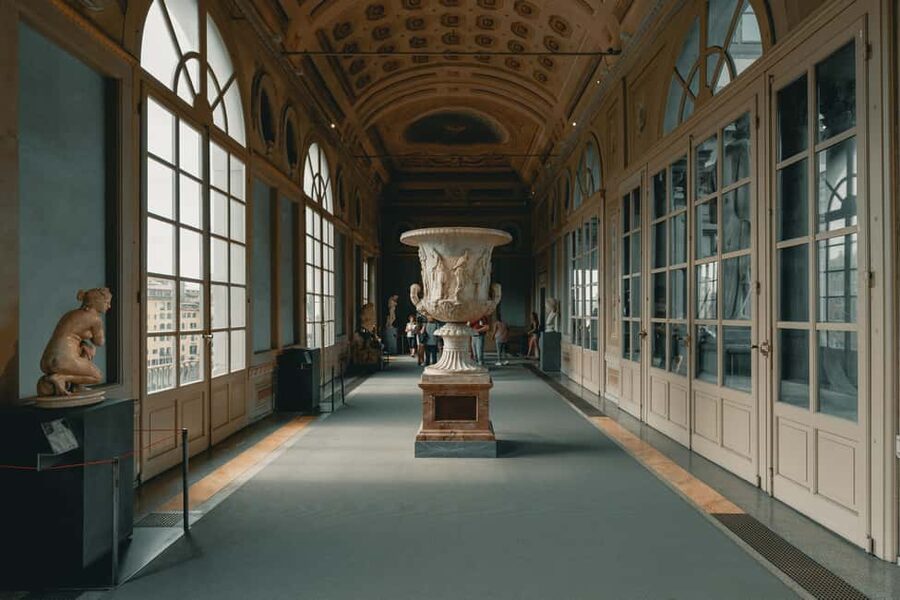
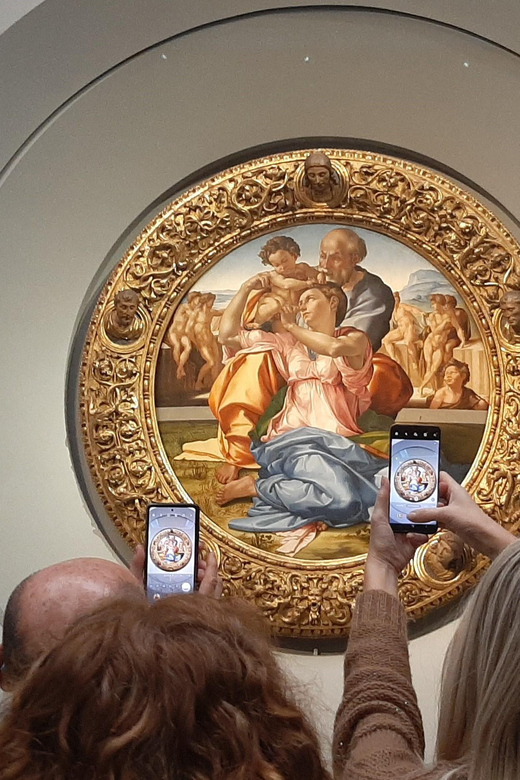
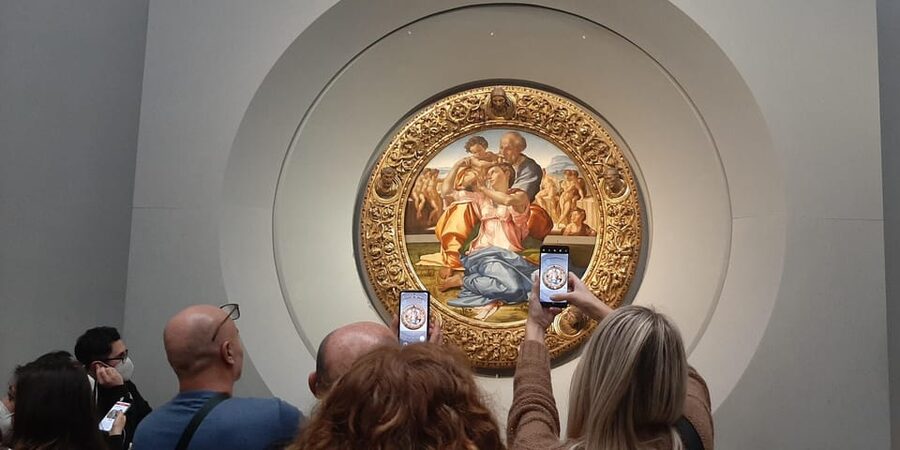
From Michelangelo, the highlight is Tondo Doni. It’s compact compared with huge altarpieces, but it’s not small in impact. If you’re standing at the right angle, it’s the kind of work that makes you slow down without meaning to.
Then the route includes Bacchus by Caravaggio. Caravaggio’s strength is often the mood—light, drama, and the human intensity that makes the painting feel alive. In a self-guided visit, you can control how long you sit with that mood instead of being rushed out by a group flow.
In other words: your day becomes a chain of “look longer” moments rather than a checklist. That’s the main reason self-guided audio can feel more satisfying in a major museum than a tight guided schedule.
How long “1 day” really takes inside the Uffizi
The ticket is valid for 1 day, and you’ll check availability for starting times. But inside the Uffizi, “one day” is mostly about how you structure your pacing.
Here’s a realistic approach that matches this tour style:
- Plan your stops around the major anchor works the app highlights (Giotto, Botticelli, Leonardo, Michelangelo, Caravaggio).
- Expect that you’ll spend more time when something genuinely catches you.
- Use the 3D map to move efficiently between rooms, then allow yourself to linger once you’re there.
If you try to cover everything in one pass, you’ll feel rushed and tired. If you use the app route to guide you, you can give priority to the works that matter to you and still feel like you saw the museum’s core.
Price and value: what $58 gets you (and what it doesn’t)
Price is listed at $58 per person. What makes this more than just a ticket is that it includes:
- Museum entrance ticket
- Immediate ticket delivery service at the entrance
- Self-guided tour with the APP guide
- Multi-language audio tour with interactive 3D map and icons
- Meeting point assistance
- The ticket includes a standard surcharge of €29 (as part of the package structure)
What isn’t included: headsets. The app uses your smartphone and you’ll need your own headphones to hear the audio properly.
Is it good value? It can be, especially if you like independent museum wandering but still want help navigating and understanding. If you were going to buy an audio guide anyway, this package becomes more attractive.
But value can flip quickly if the audio fails. One guest reported the audio guide on the smartphone didn’t work, and that led to additional spending (the note said €12 more). If you bring the right gear and your phone cooperates, you’re likely to feel the value. If not, the package becomes frustrating fast.
Your main checklist: smartphone, headphones, and identification
This experience is simple—until you’re missing one key item.
Bring:
- A charged smartphone
- Headphones (not provided)
Know before you go:
- The tour isn’t available for 0–11 year olds.
- Adult pricing applies to all participants, and it’s not suitable for children under 12.
- You must present an original identity document.
And for booking confirmation, you’ll need exact details for each participant, including passport/ID number, date of birth, a mobile number that can receive communications while in Italy, and an email you can access. If any piece is missing, the booking may not be confirmed.
The takeaway: treat this like a tech-dependent ticket. If your phone dies, your tour effectively pauses.
Language support and what it means for your day
Languages supported include Chinese, English, French, German, Italian, Spanish. That’s a big deal for a museum like the Uffizi, where “I kind of understand what I’m looking at” is common if you rely on signage alone.
If you’re comfortable in one of these languages, you’ll likely get more out of the museum because you can understand context while you stand in front of the work—not later when memory has already moved on.
When things go sideways: the real risk and how to reduce it
This kind of self-guided app tour is usually smooth. But the risk is obvious: you’re relying on a smartphone to deliver the core of the experience.
Here’s what to do so you don’t end up with a frustrating day:
- Charge your phone fully before you leave.
- Bring headphones you’ve tested at least once (not the ones you found in the bottom of a bag).
- Keep your phone on you, not loose in a backpack.
- If the app has a setup step, do it right away once you get the app code.
I’ll also mention what happened in one recent case: the guest said the ticket wasn’t cut to skip the line as expected and the audio guide didn’t function. That combination is a double hit. You can’t eliminate every operational hiccup, but you can make your side harder to break.
Final verdict: should you book this Uffizi app ticket?
Book this if you want:
- Independence inside a crowded major museum
- Audio commentary that helps you understand works without needing a live guide
- A navigation tool like the 3D map so you spend time looking, not guessing
Skip or think twice if:
- You depend on your phone for everything and can’t risk app/audio issues
- You’re traveling with limited battery options or you don’t plan to bring headphones
- You hate any chance of operational mess, since at least one recent experience reported both a skip-line mismatch and an audio failure
If you’re the kind of visitor who wants to pause, listen, and make the day yours, this is a strong value way to tackle the Uffizi—just don’t forget the basics that keep the app working.
FAQ
Do I need a smartphone for the Uffizi app?
Yes. You must use your own smartphone to run the audio tour. The app code is delivered at the museum entrance.
Are headsets included?
No. Headsets are not included, so you need your own headphones to listen to the app audio.
Where do I meet the assistant?
The meeting point is close to door n. 1, at the entrance reserved for booking holders. An assistant in blue clothing with Caf Tour and Gray Line logos waits there.
What time does the ticket work for?
The activity is valid for 1 day, and you choose from available starting times based on availability.
What languages are available for the audio tour?
The audio tour is available in Chinese, English, French, German, Italian, and Spanish.
Do I get a refund if plans change?
This activity is non-refundable.
More Florence Tickets & Entries
- Florence: Skip-The-Line Uffizi Gallery Timed Entry Ticket
★ 4.5 · 27,832 reviews - Florence: Leonardo Interactive Museum Entry Ticket
★ 4.5 · 12,957 reviews - Florence: Michelangelo’s David Skip-the-Line Entry Ticket
★ 4.5 · 12,764 reviews - Florence: Uffizi Priority Ticket & Masterpieces Audio App
★ 4.2 · 6,402 reviews - Florence: Hop-on Hop-off Bus Tour: 24, 48 or 72-Hour Ticket
★ 4.0 · 6,283 reviews
More Florence Tours We Have Reviewed
- Florence: Skip-The-Line Uffizi Gallery Timed Entry Ticket
★ 4.5 · 27,832 reviews - Tuscany Day Trip from Florence: Siena, San Gimignano, Pisa and Lunch at a Winery
★ 5.0 · 21,634 reviews - Florence: Timed Entry to Michelangelo’s David + Audio App
★ 4.6 · 19,496 reviews - Florence: Leonardo Interactive Museum Entry Ticket
★ 4.5 · 12,957 reviews - Florence: Michelangelo’s David Skip-the-Line Entry Ticket
★ 4.5 · 12,764 reviews
The Uffizi, A Few More Ways In
- Florence: Skip-The-Line Uffizi Gallery Timed Entry Ticket
★ 4.5 · 27,832 reviews - Florence: Uffizi Priority Ticket & Masterpieces Audio App
★ 4.2 · 6,402 reviews - Uffizi Gallery: Renaissance Masterpieces Guided Tour
★ 4.6 · 6,070 reviews - Uffizi Gallery Small Group Tour with Guide
★ 4.5 · 4,923 reviews - Uffizi & Accademia Timed Entry: Small Group Duomo Walking Tour
★ 4.5 · 3,630 reviews
Fresh from our Florence review desk
- Small-Group Pasta Cooking Class and Market Tour in Florence★ 5.0 · 3 reviews
- Palatina Gallery and Pitti Guided Tour in Florence★ 5.0 · 3 reviews
- Tuscan Evening Tour: Fiat 500, 8:30 to 10 PM★ 5.0 · 3 reviews
- Journey into Art: Florence’s Accademia★ 4.5 · 3 reviews
- Paint and Drink Florentine Hills★ 5.0 · 3 reviews
- Truffle hunting and lunch experience, with Vinci and winery.★ 4.5 · 3 reviews
Uffizi Gallery Tours, compared.
 ★ 4.5Skip-The-Line Uffizi Gallery Timed Entry TicketFrom $3027,832 reviews
 ★ 4.2Uffizi Priority Ticket & Masterpieces Audio AppFrom $316,402 reviews
 ★ 4.6Uffizi Gallery: Renaissance Masterpieces Guided TourFrom $886,070 reviews
 ★ 4.5Uffizi Gallery Small Group Tour with GuideFrom $764,923 reviews
 ★ 4.5Uffizi & Accademia Timed Entry: Small Group Duomo Walking TourFrom $503,630 reviews
 ★ 4.2Uffizi Gallery Timed Entry Ticket & Audio GuideFrom $332,794 reviews
 ★ 4.8Uffizi Gallery and Accademia Gallery Guided TourFrom $1402,028 reviews
 ★ 4.7Uffizi Gallery Small-Group Guided Tour with TicketFrom $762,003 reviews
Browse the lists this tour appears in